An intelligent system that thinks with you
Pip gets to know you and your business, helping you draft quotes, prepare agreements and organize your day. Ask in your own words, by typing or speaking. Pip takes care of the details, with you in control.
Win the job. Know the next step. Keep work moving with customers, quotes, Smart Boards, scheduling and your assistant Pip in one workspace. Add Cashflow for invoices and payments.
More time for what matters.
Everything you need for your daily work.
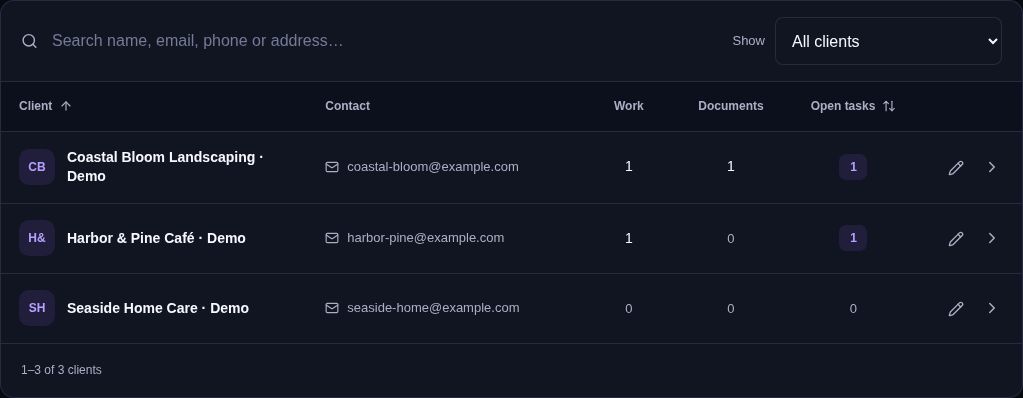
OptimusDesk connects customer records, estimates, appointments, jobs, documents, messages, time and payments while adapting the workspace to how your business operates.

Pip gets to know you and your business, helping you draft quotes, prepare agreements and organize your day. Ask in your own words, by typing or speaking. Pip takes care of the details, with you in control.
Turn an inquiry into a quote or project, then turn an accepted quote into a project. Keep the customer, tasks, agreements and files connected as the work grows.
Set up your appointment page in under 10 seconds, share the link and let customers choose an available time.
Keep email and customer conversations beside the work. Let Pip prepare reply drafts, then review what goes out.
Capture quick thoughts in your daily notebook, keep lasting knowledge in the Vault, and ask Pip to find tasks in a note. Review the suggestions before adding them.
Today brings appointments, follow-ups and work needing attention into one view. Choose the widgets you want and keep your workspace focused.
Smart Kanban Board - it knows when things matter.
7-Day Trial
Start with daily focus, a weekly timetable, client delivery, follow-ups or a team sprint. Browse four categories, or build a board from scratch. A guided walkthrough helps you get started.
Name your columns, choose their colors and set workload limits. Give your board a color, gradient, one of ten curated images or your own upload. Background changes save automatically.
It combines both. OptimusDesk connects customer records with quotes, agreements, projects, tasks and scheduling, so a small service business can follow work from the first inquiry through delivery.
Quotes and agreements are part of the Core workspace. Invoicing and payment features belong to the optional Cashflow add-on. Check the current plan details before choosing the features your business needs.
Review the product features and pricing, then start the 7-day trial to explore the Core workspace. Optional add-ons have separate scope; they are not all included in the trial.
Take a closer look at OptimusDesk.


Whether you run jobs, appointments, classes, recurring visits or a mix of everything, OptimusDesk shapes itself around the work.

Keep small jobs, estimates, appointments, materials, notes and customer follow-ups moving without administrative overload.
Explore the workflow →
Connect maintenance plans, equipment records, service appointments, estimates and technician tasks in one HVAC workspace.
Explore the workflow →
Keep room details, color choices, estimates, crews, project tasks and customer communication attached to every painting job.
Explore the workflow →
Keep recurring visits, property notes, quotes and crews connected from the first inquiry to the finished yard.
Explore the workflow →
Manage service calls, customer history, estimates, technician schedules, job notes and payment follow-ups from one plumbing CRM.
Explore the workflow →
Organize one-time cleans, recurring service, customer preferences and team schedules without a patchwork of calendars.
Explore the workflow →
Coordinate turnovers, cleaning visits, property checks and maintenance follow-ups so the team knows what each home needs next.
Explore the workflow →
Keep buyer and seller conversations, showings, property notes and closing tasks connected from first inquiry to handover.
Explore the workflow →If your business works with customers, appointments, projects, recurring services or invoices, OptimusDesk can adapt to the way you work.
Find your business →Join before the Founders window closes and keep lifetime Core for one business workspace and one user. Add Social for a second user; Cashflow and AI usage remain optional.


Use a practical post-acceptance checklist to confirm the approved estimate, payment terms, access, timing, materials, customer responsibilities, and final confirmation before work begins.
Read the guide →
Use a short pre-scheduling intake process to confirm service area, job type, timing, access, photos, decision-maker status, and the right next action for every new service lead.
Read the guide →
A practical office-to-field checklist that helps your team understand the approved work, open questions, and next action before heading out.
Read the guide →Explore the differences between OptimusDesk, Jobber and Trello, with official sources and clear plan boundaries.
Compare the software →Create your workspace, tell OptimusDesk how you work, and see your day take shape.
Ask a question. If the answer does not solve it, create a ticket for our team in the same conversation.